
If you’re a coach getting ready to launch (or relaunch) your website, you’ve probably narrowed it down to two platforms: Squarespace and Showit. Both are popular with coaches, both have beautiful templates, and both let you build a site without code. But they’re built for different kinds of business owners.

In this guide we compare Squarespace vs Showit specifically for coaches: pricing, design freedom, booking and payments, blogging and SEO, and which one fits your business. At the end you’ll find some of our favourite coaching templates for each platform.
Note: some links in this post are affiliate links. If you buy a template through them, we may earn a commission at no extra cost to you.
The quick answer
- Choose Squarespace if you want an all-in-one platform where you can sell sessions, courses or memberships, take payments and manage everything in one place, with a gentler learning curve.
- Choose Showit if your brand and visuals are a big part of how you sell, you want complete design freedom (including a separately designed mobile site), and you’re happy to connect your own tools for booking and payments.
Squarespace vs Showit at a glance
| Squarespace | Showit | |
|---|---|---|
| Pricing (billed annually) | From around $19/month; higher plans lower the fees on digital products | From around $22/month (no blog); plans with a blog from around $27/month |
| Design freedom | Section-based editor (Fluid Engine), flexible but structured | Fully drag-and-drop, pixel-level control on desktop and mobile separately |
| Selling sessions, courses & memberships | Built in (courses, member areas, digital products) | Not built in; you connect tools like a course platform or client management system |
| Booking calls | Acuity Scheduling add-on (owned by Squarespace) | Embed any scheduler (Calendly, Acuity, HoneyBook, Dubsado…) |
| Blog | Built-in Squarespace blog | WordPress-powered blog, included on blog plans |
| Email marketing | Squarespace Email Campaigns add-on | Connect your own (Flodesk, Kit, MailerLite…) |
| Learning curve | Easier for beginners | A little steeper, but very intuitive for visual people |
Prices and features change often, so always check the current plans on the Squarespace and Showit websites before you decide.
Squarespace for coaches: pros and cons
Squarespace is an all-in-one website builder. For coaches, its biggest strength is that you can run a lot of your business from one dashboard.
Pros
- Sell directly from your site: coaching packages, digital downloads, online courses and memberships are all supported natively.
- Booking with Acuity: Squarespace owns Acuity Scheduling, so booking discovery calls and sessions integrates smoothly.
- Beginner-friendly: the editor is structured, which makes it hard to “break” your layout.
- Hosting, security and updates are handled for you.
Cons
- Less design freedom than Showit. Sites can look similar if you don’t start from a well-designed template.
- Add-ons (scheduling, email campaigns) increase your monthly cost.
- Lower plans charge transaction fees on digital products like courses.
Showit for coaches: pros and cons
Showit is a drag-and-drop website builder loved by photographers, designers and personal brands. For coaches whose brand is a big part of their offer, it’s hard to beat visually.
Pros
- Total design freedom: place anything anywhere, with no grid restrictions.
- Separate mobile design: you can fine-tune how your site looks on phones, where most of your visitors will be.
- WordPress blog: Showit’s blog runs on WordPress, which gives you strong SEO options for content marketing.
- Works with the tools coaches already use: embed your scheduler, client portal, course platform or email opt-ins.
Cons
- No built-in e-commerce, courses or memberships. You’ll need other tools to sell and take payments.
- The blog costs extra (it’s part of the higher plans).
- More freedom means more decisions. Starting with a professionally designed template saves a lot of time.
Which one should you choose?
- You’re just starting and want everything in one place: Squarespace.
- You sell courses or memberships and don’t want extra platforms: Squarespace.
- Your brand is visual and personality-driven and you want a site that feels custom: Showit.
- You already use HoneyBook, Dubsado, Kajabi or similar tools: Showit fits right in.
- Blogging and SEO are key to how you get clients: both work, but Showit’s WordPress blog gives you more flexibility.
Whichever you choose, a template designed specifically for coaches will save you weeks of work and give you pages that are already structured to convert: a clear offer, your story, testimonials, packages and a strong call to action.
Best Squarespace templates for coaches
Fabrica Squarespace Template
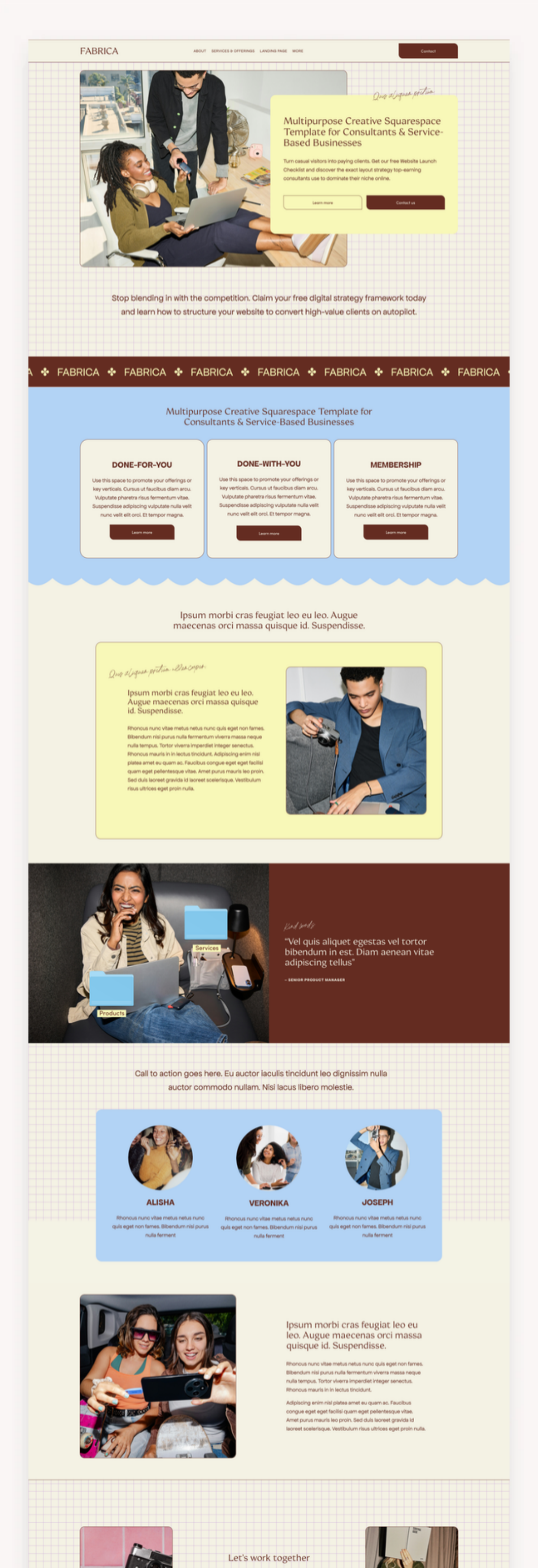
A bold, retro-editorial design for business coaches, consultancies and service-based firms, with structured service, sales and portfolio pages built to turn curious visitors into clients. See the Fabrica Squarespace template →
Renew Wellness Squarespace Template
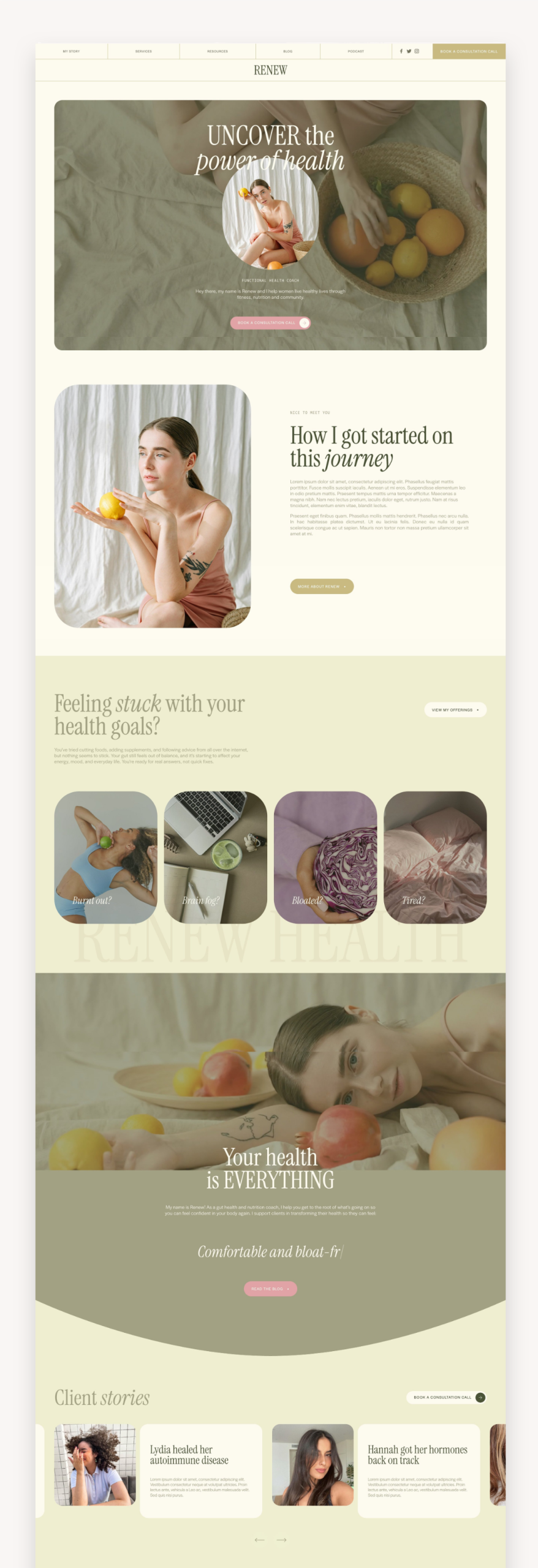
Built for health and wellness coaches, with a bold, strategic layout that promotes your services and helps you enrol clients into your programs. See the Renew Wellness Squarespace template →
Pop Culture Coach Squarespace Template

Vibrant and fun, perfect for coaches, influencers and creative entrepreneurs with a big personality who want to stand out and convert. See the Pop Culture Coach Squarespace template →
Browse more Squarespace templates for coaches.
Best Showit templates for coaches
Astra Maven Business Coach Showit Template
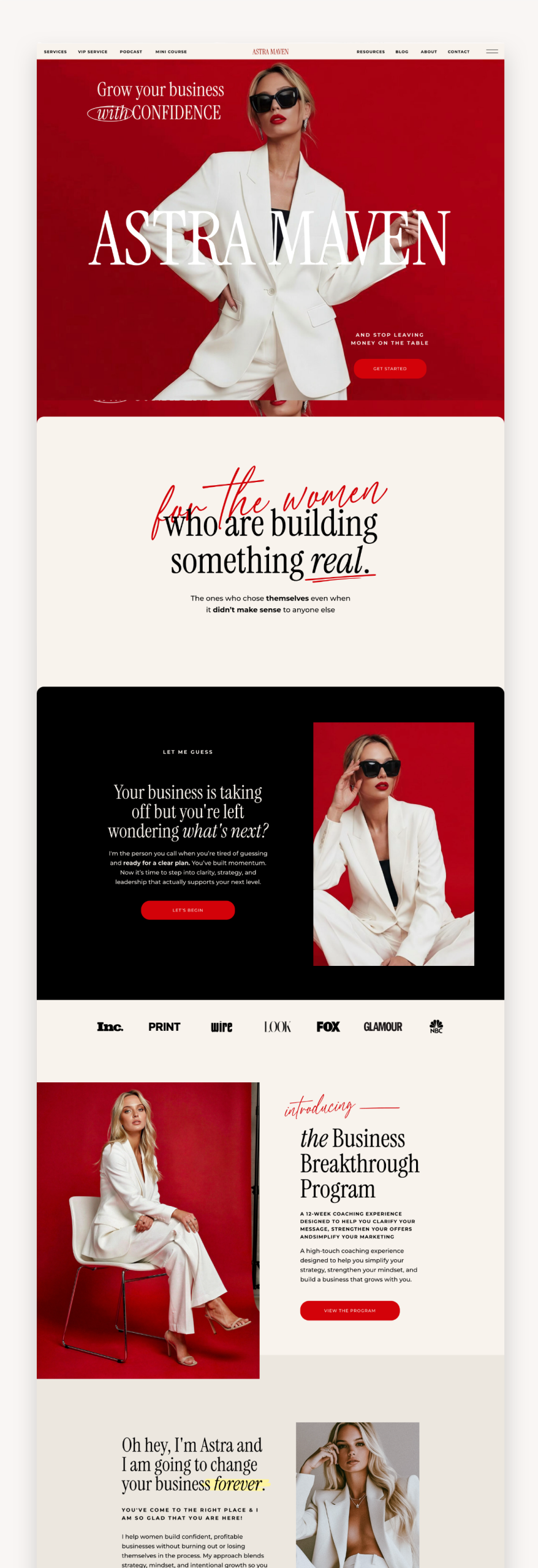
The Showit version of Astra Maven: a bold, premium design for coaches, mentors and service-based entrepreneurs, with full Showit design freedom. See the Astra Maven Business Coach Showit template →
Sienna Sol Coach Showit Template
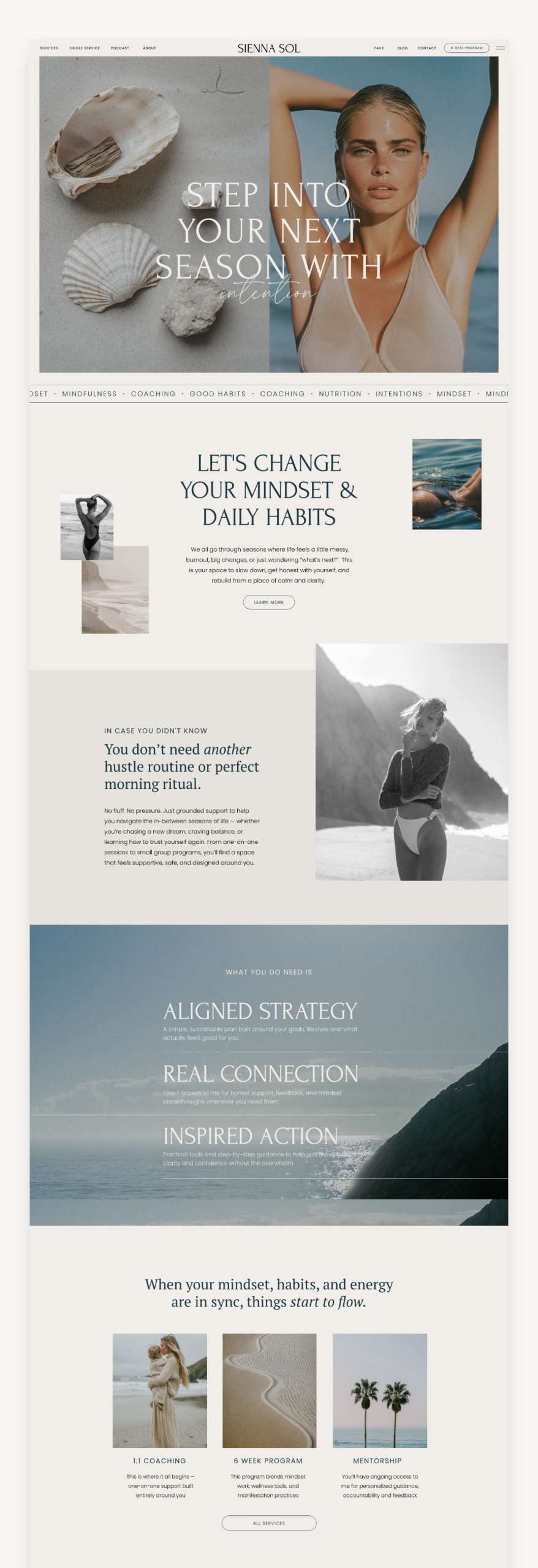
A modern, feminine template for coaches who help clients find balance, clarity and purpose, with strategic pages built to guide visitors to book. See the Sienna Sol Coach Showit template →
Bloom Coaching Showit Template

Playful and modern, with vibrant layouts and subtle animations, for coaches who want a brand that feels as bold and memorable as they are, while staying approachable. See the Bloom Coaching Showit template →
Browse more Showit templates for coaches.
FAQ
Is Showit better than Squarespace for coaches?
Neither is better for everyone. Showit is better if design freedom and a unique brand matter most to you. Squarespace is better if you want to sell sessions, courses or memberships directly from your website with fewer extra tools.
Can I take bookings on Showit?
Yes. Showit doesn’t have its own scheduler, but you can embed tools like Calendly, Acuity, HoneyBook or Dubsado on any page.
Can I switch from Squarespace to Showit later?
Yes, but there’s no automatic migration of your design. You’d rebuild your site in Showit (a template makes this much faster) and move your content over.
Final thoughts
If you want simplicity and built-in selling tools, go with Squarespace. If you want a website that looks and feels completely yours, go with Showit. Either way, starting with a coaching template will get you online faster. Explore all our Squarespace templates and Showit templates to find your match.
Leave a Reply